


Duda Oasis Website System Free Trial Tutorial
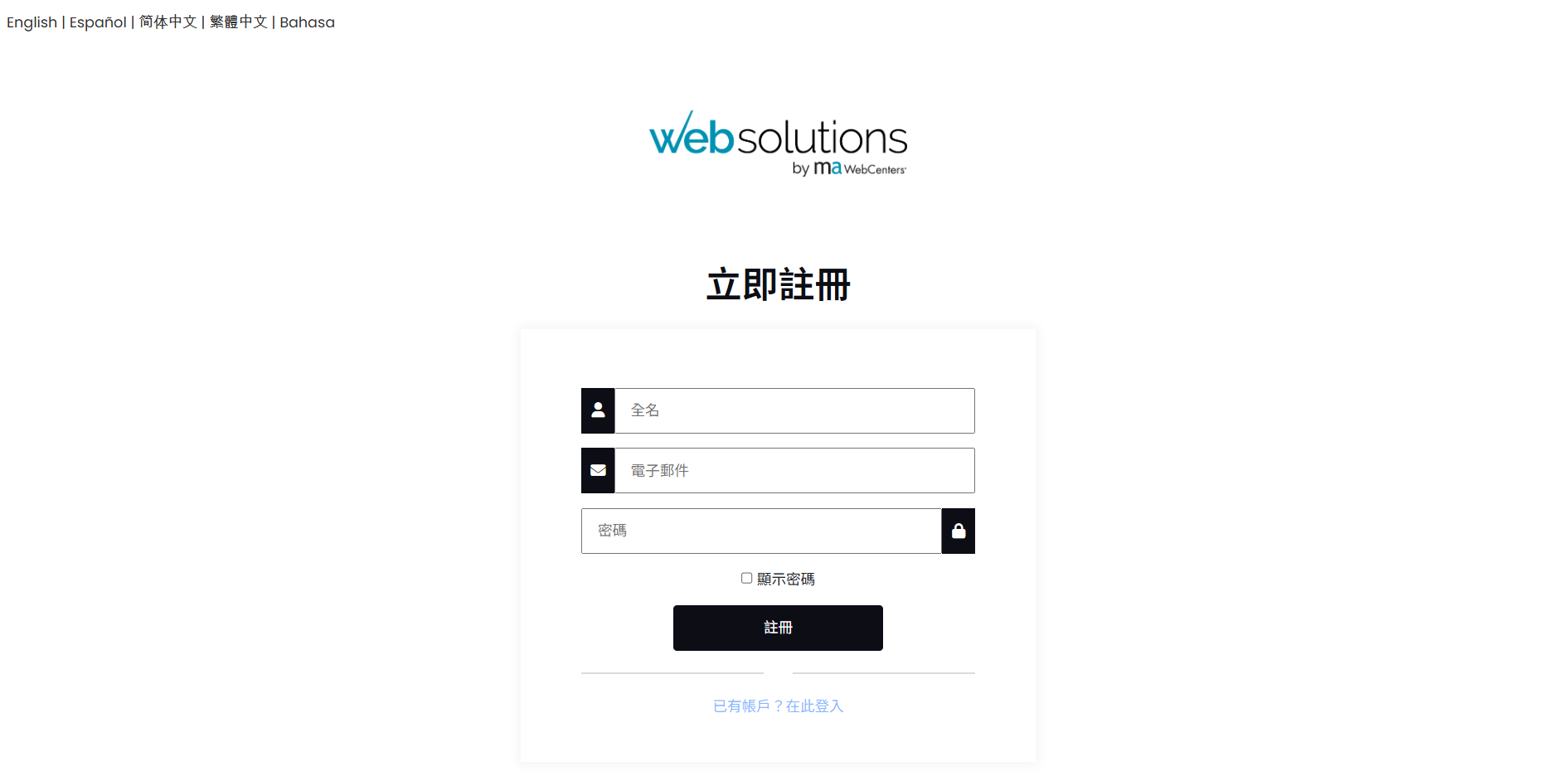
Step 1: Apply for a free online backend account
Click the button below to go to the application page and register a free account using your email address. Please note that your password must consist of special characters, uppercase and lowercase English letters, and numbers, and must include at least one "special character" and one "uppercase English letter". Your email address will be used to log in, and you can enter your company name as your full name (which can be changed in the future).
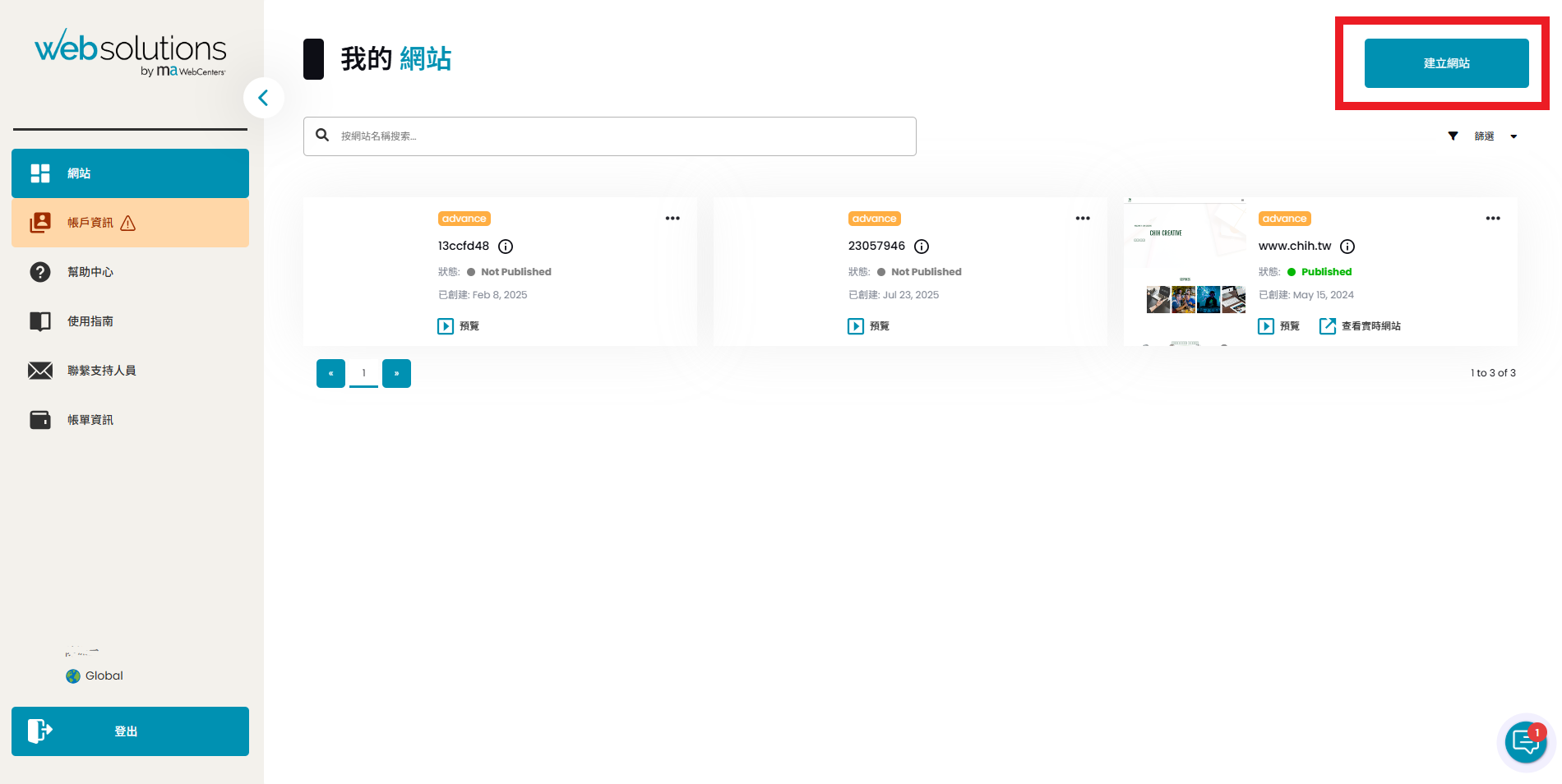
Step 2: Create a trial website in the backend.
After entering your account and password, you can access the website backend. Select the "Website" page and then select "Create Website" in the upper right corner.
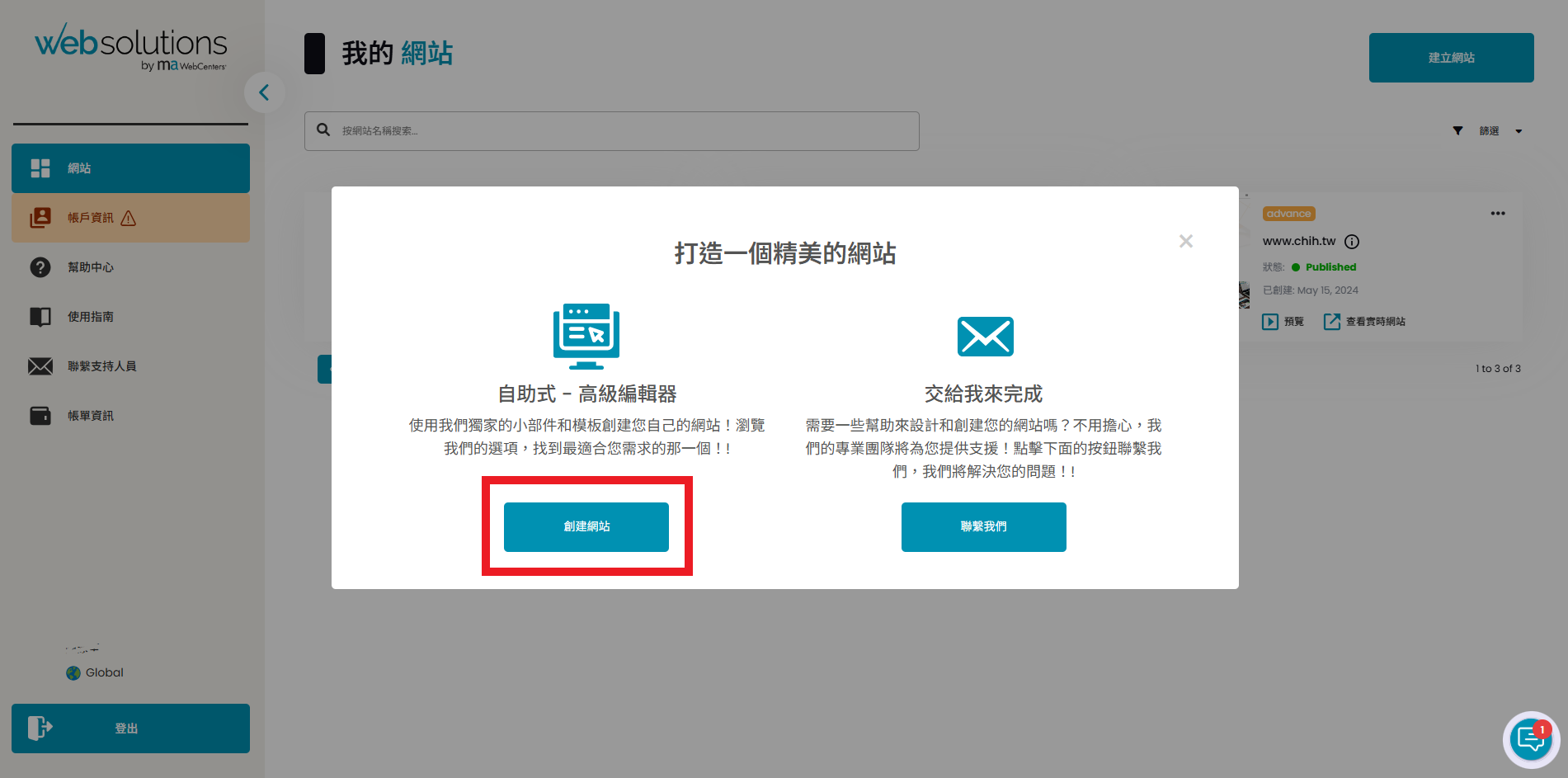
After selecting "Create Website" in the upper right corner, the following dialog box will pop up. Please select "Self-service - Advanced Editor" on the left, and then click "Create Website" at the bottom.
Step 3: Select the website features you want to try
This step involves selecting a trial plan and understanding the monthly system fees. No payment is required yet, so please select and click "Start". The features available during the trial will vary depending on the chosen plan. A brief explanation of the plan selection and content is provided below. For any questions, please contact Luzhi Creative's official Line account.
- If your company only needs an official website, you don't need to check the e-commerce function below; just click "Start".
- If you require e-commerce functionality, you can first click on the e-commerce description to get a preliminary understanding of the differences between the solutions.

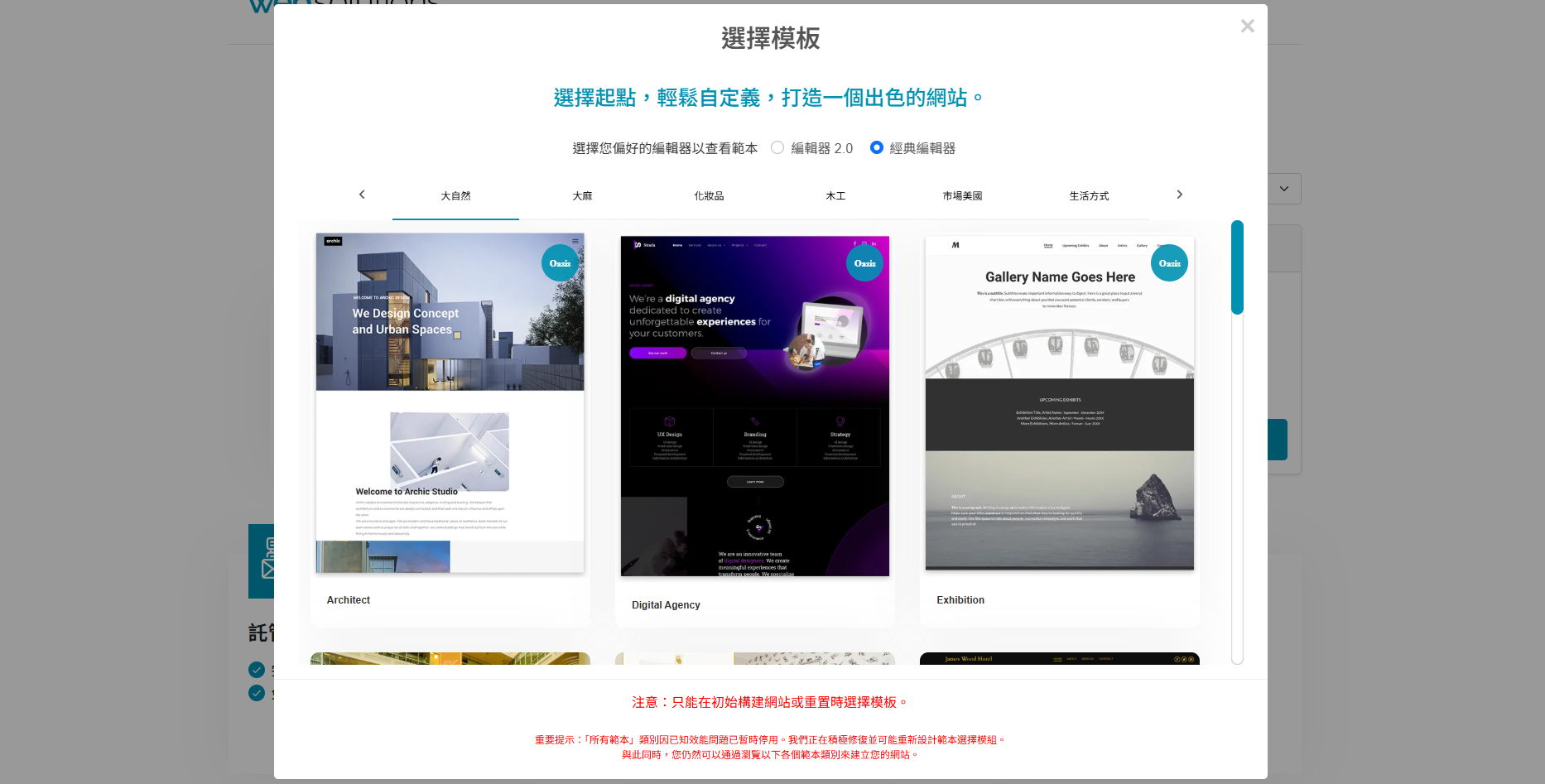
Step 4: Choose the website template you want to try.
This step involves choosing a template to try. There are two options: "Editor 2.0" and "Classic Editor." We recommend Editor 2.0, as it offers a more modern and flexible UI design for your website. Both editors are the same price; the only difference lies in the details of website editing. We encourage everyone to try them out. For any questions regarding future use, LuZhi Creative will provide online customer service and tutorials.
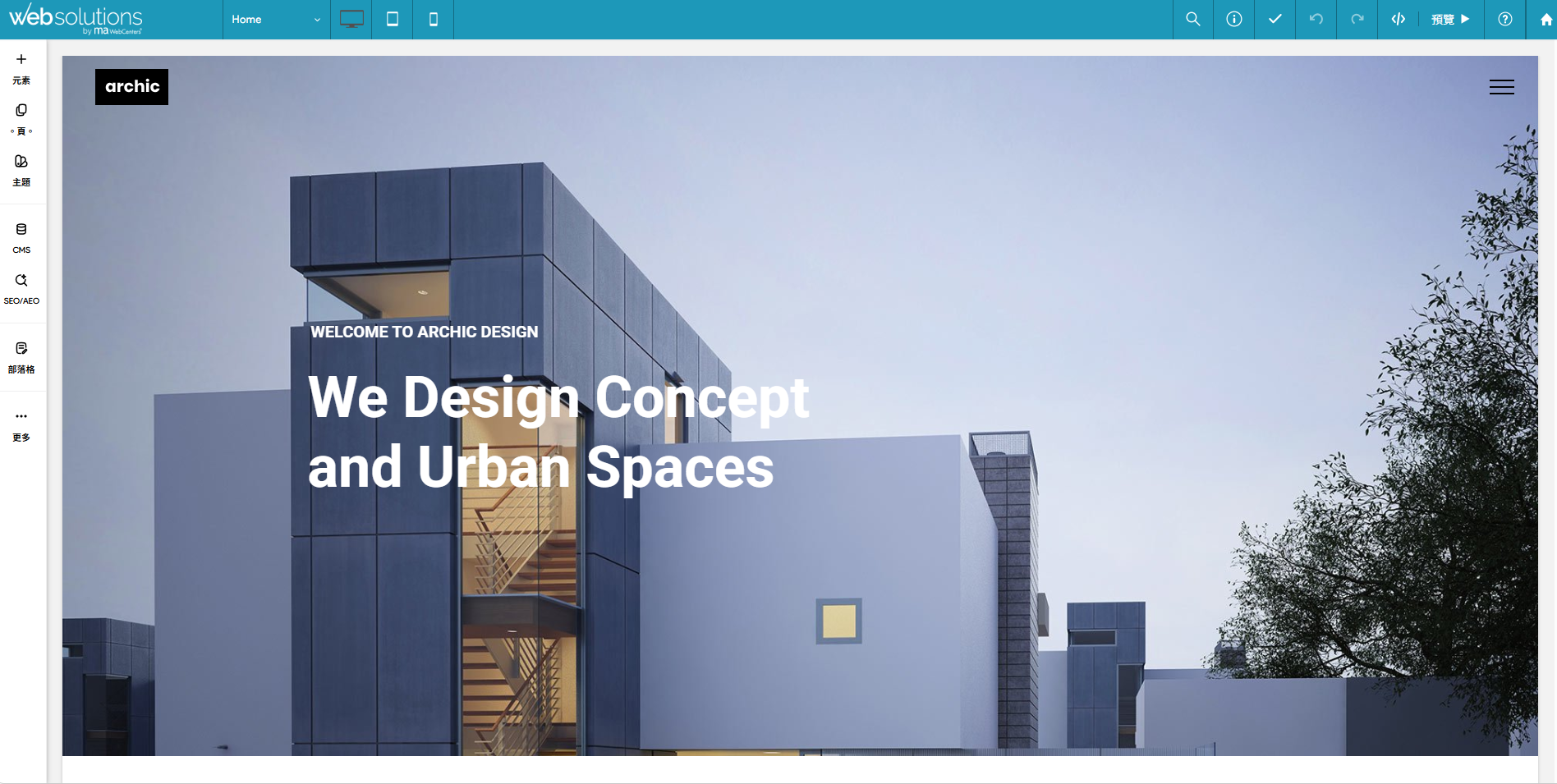
Step 5: Try out the website features
Duda Oasis is a WYSIWYG website building system. The backend presentation is almost identical to the published version, and it can be edited without going through a program, making it easy to manage and maintain. To publish your website so that it can be found in a browser, please see step six; otherwise, stop at step five.
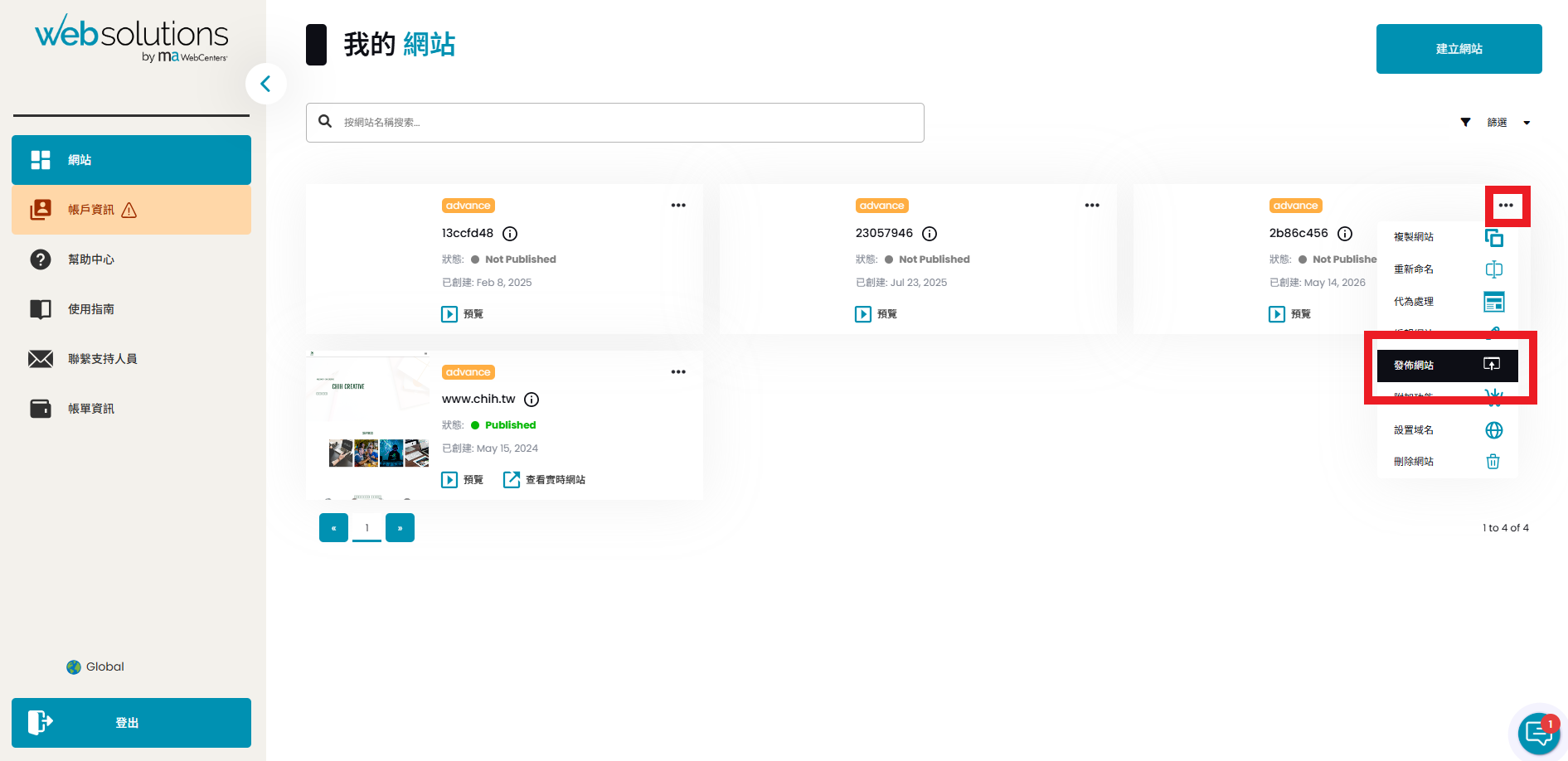
Step Six: Launch the trial website
To launch your website, click the three "..." icons in the upper right corner of the website you wish to launch, then select "Publish Website". At this point, please ensure your account information is complete and note that there will be a one-time fee. Please contact Luzhi Creative in advance to discuss the corresponding services and adjust the amount of the one-time fee.
Website development commission inquiry
Professional marketing helps you create a new digital vision for your brand!